
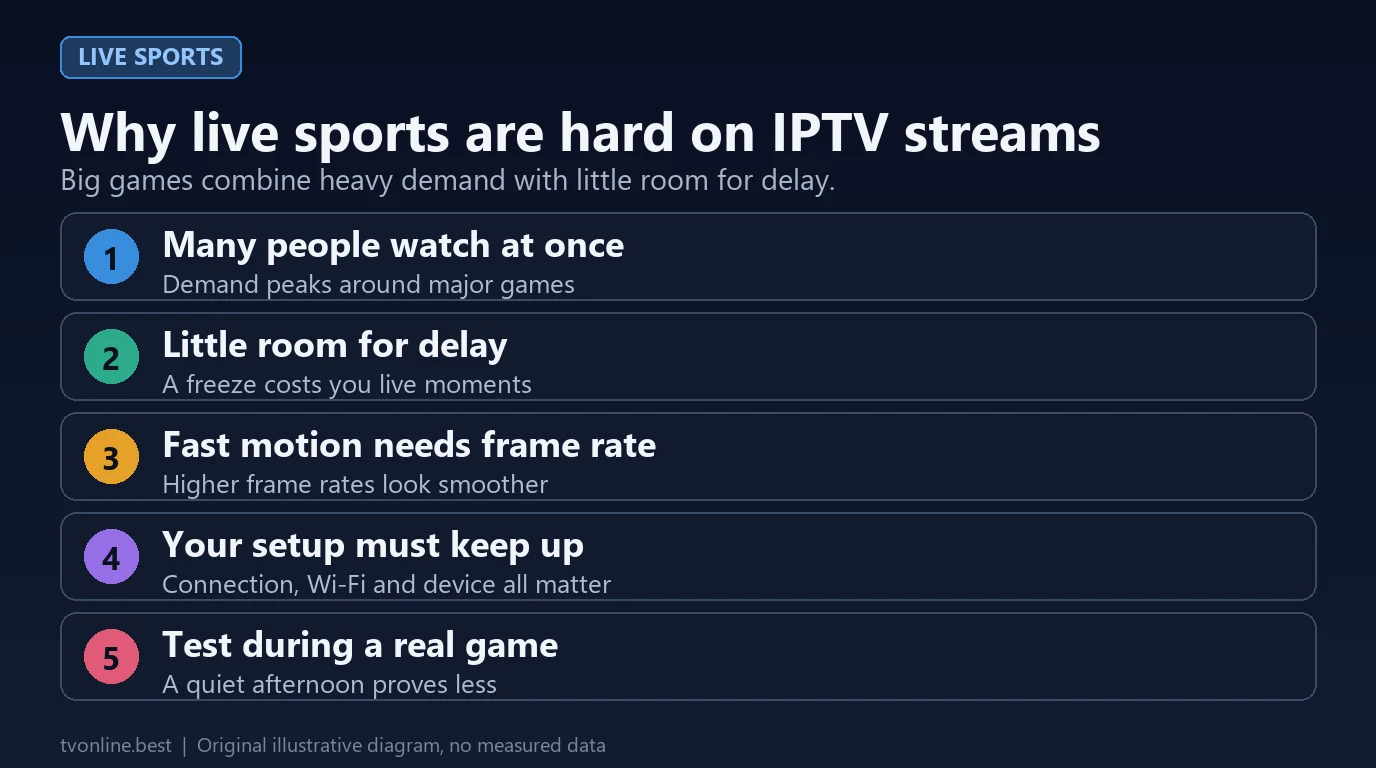
Live athletics represents the ultimate stress test for any television streaming platform. Unlike pre-recorded movies or drama series, live sports cannot be delayed, feature high-speed horizontal camera panning across playing fields, and experience massive simultaneous traffic spikes at kickoff. For sports cord-cutters, evaluating framerates, server edge peering, and buffer optimization is vital to securing smooth, buffer-free game-day broadcasts in 2026.
The Crucial 60 FPS Requirement for Fast-Moving Action
The single most important technical specification for sports cord-cutters is the stream's frame rate (Frames Per Second):
- Standard 30 FPS Streams (Unacceptable for Sports): Cinema and drama series are filmed at 24 or 30 FPS. However, when applied to fast-moving ball sports (soccer, football, basketball, hockey, or tennis), 30 FPS causes noticeable motion blur, jerky camera pans, and trailing ghost artifacts behind the ball.
- True 60 FPS Streams (Broadcasting Standard): Professional sports television networks broadcast at 50 FPS (in Europe/UK) or 60 FPS (in North America). A 60 FPS stream refreshes the screen sixty times per second, rendering fast-moving passes, rapid player cuts, and stadium pans with fluid, crisp motion.
Many budget reseller services silently downscale sports feeds from 60 FPS to 30 FPS to reduce their server bandwidth costs by half. Always check your player's stream information panel (available in TiviMate and Smarters by pressing the Info or OK button) to confirm your sports channels deliver true 1080p @ 60 FPS or 720p @ 60 FPS.
Server Traffic Surges & Edge CDN Peering During Big Games
The primary reason IPTV buffering occurs during major championship events—such as the Super Bowl, UEFA Champions League final, or UFC title fights—is server-side congestion:
During regular weekday afternoons, provider servers operate at modest capacity. But ten minutes before kickoff of a massive game, tens of thousands of viewers tune in to the exact same channel simultaneously. Bargain reseller providers operating on single unmanaged virtual servers (VPS) experience instant bandwidth saturation, causing the stream to freeze or loop. In contrast, premium providers utilize distributed Content Delivery Networks (CDNs) with localized edge caching nodes across North America and Europe to balance traffic surges across multiple geographic endpoints.
Player Buffer Tuning for Live Athletics
Configuring your player buffer setting properly makes a dramatic difference during live sporting events:
- Zero Buffer (High Risk): Delivers the lowest broadcast delay (only 15–20 seconds behind cable), but any momentary Wi-Fi hiccup triggers an immediate video freeze.
- Medium Buffer (3 to 5 Seconds — Recommended): Creates a small cushion of video frames in device memory. It absorbs minor home network dips without putting you significantly behind live social media score updates.
- Large Buffer (10+ Seconds): Provides maximum buffering immunity, but introduces a 45–60 second delay behind real-time action, which can result in text notifications spoiling goals before you see them.
Evaluating Sports Lineups: What to Verify Before Buying
- National Sports Networks: Ensure the lineup includes all major domestic sports carriers: ESPN family (ESPN, ESPN2, ESPNU), Fox Sports (FS1, FS2), CBS Sports Network, and NBC Sports feeds.
- Out-of-Market Sports Packages: For NFL, NBA, MLB, and NHL fans living outside their favorite team's regional market, verify that out-of-market game feeds (Sunday ticket broadcasts and league passes) are organized into dedicated categories.
- Regional Sports Networks (RSNs): Check for Bally Sports regional networks, YES Network, NESN, Marquee, and NBC Sports regional affiliates.
- International Sports Channels: Premier soccer and motorsport events require Sky Sports (UK), TNT Sports, DAZN feeds, and beIN Sports coverage.
- Backup & Fallback Feeds: Premium services provide secondary backup feeds (e.g., ESPN Backup / Server 2) to give viewers an alternate routing path if a primary broadcast link encounters satellite issues.
Frequently Asked Questions
How much internet speed is required for 60 FPS sports?
A stable downstream connection of 20 to 25 Mbps dedicated to your streaming device is required for Full HD 1080p @ 60 FPS sports broadcasts. A total household internet tier of 50 to 100 Mbps is recommended to account for background home network traffic.
Can I watch live pay-per-view (PPV) events on IPTV?
Most comprehensive IPTV services include dedicated PPV and live event bouquets covering major championship boxing and mixed martial arts events as part of their standard subscription package.
Why is my live sports stream 20 to 30 seconds behind cable?
All internet video streams require real-time encoding, video segment chunking (HLS/DASH), CDN edge distribution, and player buffer decoding. This inherent digital processing introduces a normal 15 to 35 second delay compared to direct uncompressed over-the-air antennas.
Does an Ethernet cable make a difference for sports streaming?
Yes. Connecting your streaming device via direct wired Ethernet or 5 GHz Wi-Fi eliminates wireless interference and packet jitter, which is the leading cause of micro-stutter during high-framerate action.