
Finding the best IPTV service has become one of the most frustrating searches on the internet. Type the term into any search engine, and you are immediately flooded with hundreds of cloned websites, questionable affiliate lists ranking whoever pays the highest bounty, and providers promising 50,000 channels for two dollars a month. Within weeks of signing up, those ultra-cheap services inevitably collapse during live sports finals.
⚡ Core Industry Truth
A truly top-tier IPTV subscription is not defined by bloated channel counts. It is defined by server stability, sustained high-bitrate video delivery (60 FPS), low stream latency, and consistent uptime during peak internet viewing hours.
What Defines the "Best IPTV" Service Today?
To understand why some IPTV streams run flawlessly while others buffer constantly, you need to understand how the signal travels from the broadcast ingest station to your living room television.
Server Architecture: Dedicated CDN vs. Overcrowded Reseller Panels
The vast majority of cheap IPTV brands do not operate their own servers. They purchase wholesale credits on massive, shared reseller panels. When a high-profile broadcast begins—such as the Champions League Final or the Super Bowl—tens of thousands of subscribers ping the exact same origin server simultaneously. The bandwidth collapses, packet loss spikes above 15%, and your screen freezes.
The best IPTV services run on distributed Content Delivery Networks (CDNs) with load-balanced edge nodes located across North America, Europe, and Asia. When you initiate a stream, the network routes your connection to the geographically closest server rack with available 10 Gbps uplinks, isolating your stream from global traffic surges.
True 60 FPS Bitrates vs. Upscaled 30 FPS Streams
Motion fluidity is the single most critical quality indicator for live sports and action television:
- Budget Streams (25–30 FPS): Fast-moving balls flicker, panning camera angles stutter, and high-motion action displays noticeable ghosting artifacts.
- Premier Streams (50–60 FPS): Broadcast-grade fluidity where high-velocity motion remains sharp and stable, matching the visual quality of terrestrial fiber and direct satellite feeds.
Electronic Program Guide (EPG) Reliability & Time-Shift Data
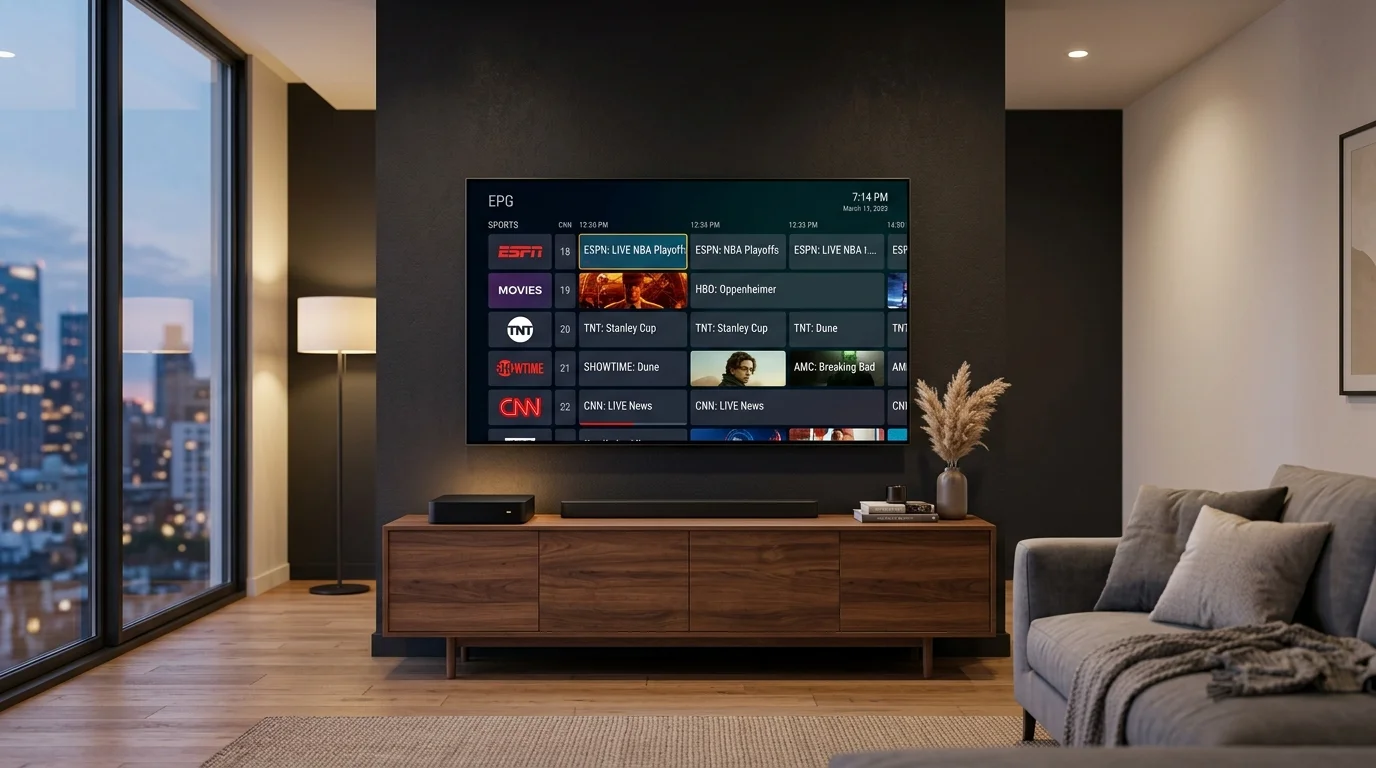
A channel list without an accurate Electronic Program Guide is nearly unusable. Quality services provide XMLTV-based EPG feeds that synchronize automatically across time zones, populating show titles, episode descriptions, air dates, and progress bars. Premium services also offer "Catch-Up" (time-shift) functionality, allowing you to watch broadcasts that aired over the previous 48 to 72 hours on demand.
Core Evaluation Matrix: 6 Criteria to Test Before Subscribing
Before committing to a long-term plan, evaluate any prospective provider against these six operational benchmarks:
- Anti-Freeze & Load-Balancing Technology: Automatic stream failover switches to an alternate satellite feed within milliseconds if upstream packet loss is detected.
- Channel Lineup Breadth vs. Actual Stream Quality: Look for complete regional affiliates (ABC, CBS, NBC, FOX), dedicated sports networks (ESPN, FS1, TNT Sports, Sky), and active channels rather than dead links.
- VOD Library Maintenance: Regularly updated Hollywood films and complete multi-season series with multi-language subtitles and 5.1 audio.
- Protocol Compatibility (Xtream Codes API & M3U): Avoid locked apps; insist on open Xtream API credentials and M3U playlist URLs.
- Multi-Device & Concurrent Stream Policy: Verify whether your plan supports single-device streaming or an IPTV multi connection subscription for multiple screens.
- Responsive 24/7 Human Customer Care: Instant support on WhatsApp or ticketing desks rather than unmonitored email addresses.
IPTV vs. Traditional Cable & Satellite: Feature & Cost Breakdown
| Feature / Metric | Traditional Cable | Budget IPTV ($5-$8/mo) | TV Online |
|---|---|---|---|
| Average Monthly Cost | $95.00 – $145.00 / mo | $5.00 – $8.00 / mo | From $5.41 / mo |
| Contract Requirement | 12 – 24 Month Lock-in | None | None (Pay-as-you-go) |
| Hardware Rental Fees | $10 – $15/mo per box | $0 | $0 (Bring your own device) |
| Live Channels | 150 – 300 Local | 10,000+ (unstable) | 25,000+ Worldwide Feeds |
| Sports Stream Quality | 720p / 1080i (30 FPS) | 720p Compressed | 4K UHD & 1080p @ 60 FPS |
| Anti-Freeze CDN Engine | Coaxial Cable | No (Frequent Prime Buffering) | Yes (Dedicated 10 Gbps uplinks) |
Best IPTV Player Applications for Firestick, Smart TV, and Android
Your IPTV subscription provides stream access credentials; the media player application determines how smooth, responsive, and enjoyable your viewing experience will be.
- TiviMate IPTV Player: The premier choice for Android TV and Firestick. Features cable-like guide navigation, sub-second zapping, and 4-screen multi-view for live sports.
- IPTV Smarters Pro: The most versatile multi-platform player, running smoothly on Android, iOS, Windows, Mac, LG webOS, and Samsung Tizen. Follow our guide on how to setup IPTV on Firestick to install it in 5 minutes.
- IBO Player: Lightweight, fast player ideal for Samsung and LG Smart TV owners who prefer direct app store installation without sideloading. Read our breakdown of the best IPTV players for Smart TV for detailed comparisons.
How to Optimize Your Home Network for Zero Buffer Streaming
Even the best IPTV service will stutter if your local home network suffers from packet jitter or interference:
- Prioritize 5 GHz Wi-Fi or Ethernet: Never stream 4K live broadcasts over a 2.4 GHz Wi-Fi band. Connect via Ethernet or 5 GHz to avoid Bluetooth and microwave packet collision.
- Check Internet Latency (Ping & Jitter): A steady 40 Mbps connection with sub-25ms latency outperforms a 500 Mbps connection with high jitter. Review our internet speed requirements for IPTV.
- Adjust Player Buffer Size: Setting buffer size to "Medium" (2–3 seconds) in your player settings absorbs minor network fluctuations without pausing playback. Check our guide on how to stop IPTV buffering.
Frequently Asked Questions
What is the best IPTV service for live sports?
The best IPTV service for sports delivers streams at true 60 FPS with dedicated anti-freeze server clusters. Services like TV Online for sports feature dedicated bandwidth nodes for NFL, Premier League, NBA, and UFC PPV fight nights.
What is the best IPTV in USA?
The best IPTV in USA provides full regional affiliates (ABC, CBS, NBC, FOX) across all 50 states, North American edge CDN nodes for sub-30ms ping, and transparent pricing.
Can I use one IPTV subscription on multiple devices?
Standard plans provide a single active connection. If you need simultaneous streaming across multiple household TVs, select an IPTV multi connection package.
Enjoy 25,000+ live channels, 4K sports at 60 FPS, and rapid human support with zero long-term contracts.
Explore TV Online Subscription Plans →