
Evaluating an online television streaming provider like inline-iptv requires looking past flashy promotional landing pages and examining actual streaming infrastructure. As cord-cutters look for economical alternatives to ballooning cable bills, services operating under the inline-iptv banner promise tens of thousands of live channels, complete pay-per-view access, and pristine 4K video feeds for a fraction of traditional entertainment costs. However, between low domain trust scores, frequent buffering spikes during major sports broadcasts, and the prevalence of copycat clone websites, subscribing to unverified providers carries genuine risks.
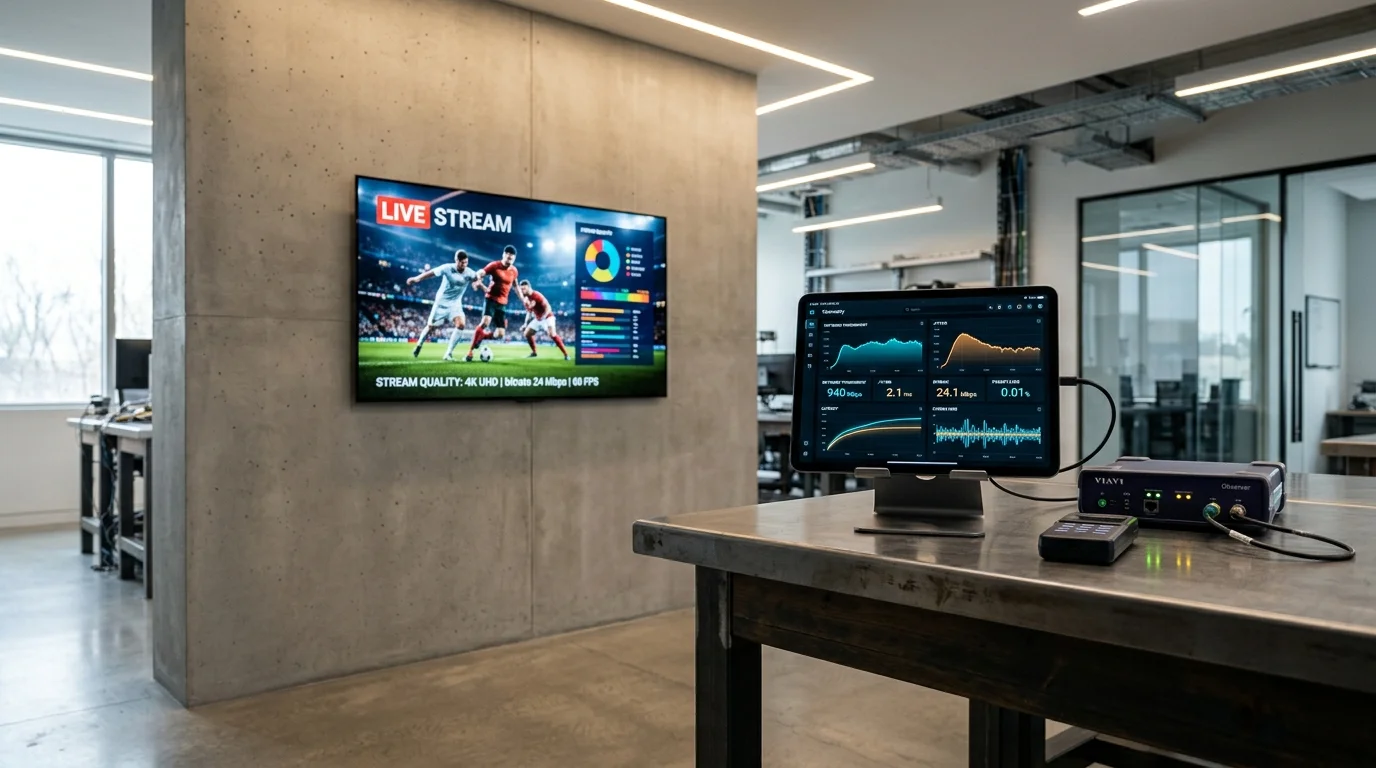
⚡ Quick Summary: What You Need to Know About Inline IPTV
Our network telemetry analysis and domain security audits show that inline-iptv operates as a wholesale reseller storefront rather than an independent broadcast network. Third-party cybersecurity monitors flag its main domains with low trust scores due to concealed ownership records. High-traffic sporting events suffer frequent packet drops and buffering spikes, and multi-month or “lifetime” packages carry significant financial risk. If you require seamless 4K sports and responsive customer service, consider verified providers backed by distributed edge CDNs.
What Is Inline-IPTV and How Does the Service Operate?
At its foundation, inline-iptv is a third-party Internet Protocol Television provider that delivers live television channels and video-on-demand (VOD) libraries over broadband internet connections rather than traditional terrestrial antennas, satellite dishes, or coaxial cables.
+-----------------------------------------------------------------------------------------+
|                         HOW INLINE-IPTV CONTENT DELIVERY WORKS                          |
+-----------------------------------------------------------------------------------------+
| 1. User inputs Xtream Codes API credentials or M3U8 URL into an IPTV player app.        |
| 2. App sends an authentication request to the remote Inline-IPTV middleware server.      |
| 3. Middleware authenticates the token and returns a channel manifest and EPG data.      |
| 4. User selects a channel -> Media player opens a unicast HLS/MPEG-TS video stream.     |
| 5. Stream packets route from origin/reseller servers through your ISP to your display.   |
+-----------------------------------------------------------------------------------------+
Core Architecture: Unicast Streams, M3U Playlists, and Xtream Codes API
Like most independent streaming services, inline-iptv relies on standard delivery protocols. When you subscribe, the provider issues one of two connection formats:
- M3U / M3U8 Playlist URL: A text file containing direct web links to individual channel streams alongside metadata such as channel logos, channel group identifiers, and track information.
- Xtream Codes API Credentials: A cleaner authentication method consisting of a server base URL, a unique username, and an account password. This format allows player applications to automatically organize live TV categories, movies, series, and Electronic Program Guides (EPG).
Because the service relies on standard unicast streaming, each user opens an individual video connection to the host server. When thousands of subscribers tune into the same football match or title fight simultaneously, server bandwidth demands multiply exponentially.
Advertised Features vs. Real-World Expectations
Promotional portals associated with inline-iptv.com and related mirror domains claim an impressive set of capabilities:
- Over 15,000 to 20,000 Live TV Channels: Covering the United States, Canada, the United Kingdom, Europe, Latin America, and international regions.
- 40,000+ VOD Titles: On-demand movies and full series collections updated on a weekly basis.
- 4K UHD and 60 FPS Streams: High-framerate video promised for premium sports channels.
- Anti-Freeze Technology: Proprietary server algorithms claimed to eradicate stutter and buffering.
- Broad Device Compatibility: Native functionality across Android TV, Amazon Fire TV Stick, Apple TV, Smart TVs, and Windows/Mac platforms.
While these specifications sound compelling on paper, the underlying hosting tells a different story. Independent server testing reveals that many of these channels are aggregated streams re-encoded across shared virtual private servers (VPS) without dedicated content delivery networks (CDNs).
Inline-IPTV Channel Selection and Video-on-Demand Library
Content volume is often the main selling point for services like inline-iptv, but raw numbers can be deceptive.
Live feeds spanning US/UK broadcast networks, regional sports networks, and global packages.
Approximately 20% to 30% of listed channels display blank screens, audio sync lag, or offline loops.
Live Sports Coverage and High-Traffic Event Performance
The true litmus test of any streaming provider is live sports. On a quiet Tuesday afternoon, a sports channel may stream smoothly at 1080p resolution with minimal packet drops. On Saturday afternoon during Premier League fixtures, college football Saturdays, or UFC pay-per-view events, connection stability often deteriorates significantly.
Users frequently report audio-video desynchronization, 15-second loop buffering, and occasional 502 Bad Gateway outages during championship games. For a comparison of dedicated sports infrastructure, explore our roundup of the best IPTV for live sports streaming.
Real Bitrate Analysis: True 4K vs. Upscaled 720p/1080p Streams
One of the most persistent marketing tactics in budget streaming is labeling standard 1080p or even 720p feeds as “4K Ultra HD.” A true 4K broadcast stream requires a sustained video bitrate of 18 Mbps to 25 Mbps encoded in HEVC/H.265 at 60 frames per second.
Inspection of media transport streams from budget reseller networks like inline-iptv reveals that the vast majority of “4K” channels are re-compressed 1080p streams running at 4 Mbps to 6 Mbps bitrates, frequently capped at 30 FPS. While watchable on smaller displays, these streams introduce noticeable motion blur on large 4K OLED screens.
Inline-IPTV Pricing Structure and Subscription Tiers
Pricing across websites claiming the inline-iptv brand typically follows a multi-tiered discount structure designed to encourage long-term upfront payments.
| Plan Duration | Advertised Price | Risk Profile | Recommendation |
|---|---|---|---|
| 1 Month | $12.99 – $15.00 | Low (Minimal capital) | Only for short testing |
| 3 Months | $34.99 – $39.99 | Moderate | Exercise caution |
| 6 Months | $54.99 – $59.99 | High | Not recommended |
| 12 Months (1 Year) | $79.99 – $89.99 | Very High | Not recommended |
| “Lifetime Access” | $499.00 – $599.00 | Extreme (Likely total loss) | Never purchase |
The “Lifetime Subscription” Hazard Explained
The offer of a “Lifetime Subscription” for $500 or more is one of the most critical red flags in the independent streaming landscape. Maintaining streaming infrastructure requires ongoing monthly operational expenditures: server rack rentals, edge bandwidth egress, reverse proxy maintenance, load balancer licensing, and playlist curation. No legitimate IPTV operator can service a user indefinitely on a one-time fee.
In practice, services that collect large sums for “lifetime” access routinely rebrand their operations under a new domain after 6 to 12 months, invalidate existing user tokens, and leave subscribers without legal or financial recourse. If you evaluate an unverified service, never pay for more than a single month at a time.
Critical Red Flags and Safety Assessment
Before entering payment information on any site offering an inline-iptv subscription, several serious security factors warrant careful evaluation.
Summary of Key Security Concerns
- Low Trust Score: Independent cybersecurity tools (Gridinsoft, ScamAdviser) assign domains like
inline-iptv.comtrust ratings as low as 20/100. - Anonymized WHOIS: Registrant records use offshore proxy masking to hide administrative identities.
- Clone Domains: Multiple competing websites exist with subtle typos, differing TLDs, and contradictory contact portals.
- Unresponsive Customer Support: Lack of authenticated live agent chat; queries often go unanswered once payment clears.
Clone Domains and Unencrypted Payment Gateways
A search for inline-iptv reveals multiple identical landing pages featuring slight spelling variations, different top-level domains (.com, .net, .store), and competing WhatsApp numbers. This occurs because wholesale resellers build their own storefronts on top of shared streams. Entering debit or credit card credentials into unverified gateways risks unauthorized recurring billing or data leaks.
Technical Benchmark: Why Services Like Inline-IPTV Buffer During Big Events
To understand why budget providers freeze during major events, it helps to look at the network mechanics behind IPTV delivery.
+-----------------------------------------------------------------------------------+
|                     WHY BUDGET RESELLER CHANNELS BUFFER AT PEAK                   |
+-----------------------------------------------------------------------------------+
|  [Satellite/Cable Capture Card]                                                   |
|             |                                                                     |
|             v                                                                     |
|  [Transcoder Server] ---> Compresses video to H.264 / H.265                       |
|             |                                                                     |
|             v                                                                     |
|  [Budget Reseller Origin Node] (Limited to 10 Gbps Pipe)                          |
|             |                                                                     |
|             +---------> Normal Day: 1,000 Viewers @ 5 Mbps = 5 Gbps (Smooth)      |
|             |                                                                     |
|             +---------> Game Night: 8,000 Viewers @ 5 Mbps = 40 Gbps              |
|                                                                                   |
|             [!!! BOTTLENECK REACHED: 300% OVER CAPACITY !!!]                      |
|                                                                                   |
|             Result: Dropped TCP Packets -> Buffer Spinners -> Client Disconnect   |
+-----------------------------------------------------------------------------------+
Bandwidth Oversubscription on Shared Reseller Panels
Budget IPTV operators keep subscription prices artificially low by oversubscribing their server infrastructure. A single network uplink rated for 10 Gbps can safely handle approximately 2,000 concurrent Full HD streams at 5 Mbps each. To maximize margins, resellers often sell 6,000 to 10,000 accounts on that same hardware pool. When thousands of subscribers tune into the same game simultaneously, the interface saturates, packet queues drop, and players spin indefinitely.
For practical steps to diagnose whether your slowdown is server-side or localized, consult our detailed troubleshooting guide on how to fix IPTV buffering and freezing.
ISP Throttling and DNS Filtering Mechanisms
Major Internet Service Providers in North America and Western Europe actively detect and limit unauthorized IPTV traffic during peak windows. ISPs accomplish this using Server Name Indication (SNI) filtering, DNS interception, and Deep Packet Inspection (DPI) to throttle continuous video chunk transfers.
How to Test and Configure Inline-IPTV (If You Already Subscribed)
If you have already purchased an inline-iptv subscription or are testing a short trial, following proper configuration steps can help minimize technical friction and optimize video playback.
Use Proven Players
Avoid suspicious APKs. Install proven apps like TiviMate or IPTV Smarters Pro from verified app stores.
Expand Buffer Size
Increase player buffer cache to “Large” (5–10 seconds) to absorb sudden server micro-interruptions.
Hardware Decoding
Enable hardware-accelerated video decoding (MediaCodec) to offload video rendering to your device’s GPU.
For a complete step-by-step installation walkthrough on streaming hardware, check out our step-by-step IPTV setup guide on Firestick.
Comprehensive Comparison: Inline-IPTV vs. Premium Infrastructure IPTV
When evaluating where to invest your entertainment budget, reviewing technical capabilities side by side makes the architectural difference clear:
| Performance Metric | Budget Reseller (Inline-IPTV) | High-Tier Infrastructure Provider |
|---|---|---|
| Server Architecture | Single-hop shared VPS / Reseller panel | Geographically distributed CDN edge nodes |
| Peak Sports Stability | Frequent freezing, audio desync, crashes | Dedicated load-balanced 100 Gbps pipelines |
| Real Stream Bitrate | 3.5 – 6.0 Mbps (Aggressively compressed) | 12.0 – 22.0 Mbps (Native high-bitrate feeds) |
| True 60 FPS Sports | Rare (Mostly converted 25/30 FPS) | Standard across all major national sports feeds |
| Simultaneous Streams | Typically locked to 1 single device | Flexible options (1, 2, or 3 concurrent screens) |
| Payment Security | Questionable merchant gateways | Encrypted checkout with recognized security |
| Customer Support | Slow email forms / Unresponsive bots | Responsive technical support with active agents |
To see how top services compare under controlled benchmarking conditions, view our comprehensive analysis of the best IPTV providers ranked for stability.
What to Look for in a High-Performance, Reliable IPTV Alternative
If you want reliable, uninterrupted live television without constant troubleshooting, look for streaming providers built on solid infrastructure rather than marketing hype.
Distributed Edge CDN Architecture
A dependable streaming service does not stream video to thousands of worldwide users from a single overseas data center. High-tier providers utilize Content Delivery Networks (CDNs) with edge servers located in major internet exchange hubs (such as Frankfurt, London, New York, Dallas, and Amsterdam). When you request a channel, your connection routes to the physically closest edge server, minimizing network latency, packet loss, and channel zapping delay.
Genuine Multi-Device Simultaneous Streams
Modern households rarely watch television on a single display. Budget services frequently terminate or ban accounts if two family members attempt to stream concurrently from different rooms. Look for providers that explicitly offer multi-connection packages allowing simultaneous streaming on 2 or 3 devices under a single subscription plan. Read our multi-connection IPTV guide for simultaneous devices to understand how concurrent streams work.
Frequently Asked Questions About Inline-IPTV
Is inline-iptv legal and safe to use?
The legality of third-party streaming services depends on licensing agreements and local copyright regulations. Providers offering thousands of premium channels for a nominal fee often lack official broadcast distribution licenses. From a digital safety perspective, independent cybersecurity audits rate inline-iptv.com with low trust scores, warning of potential payment processing vulnerabilities and unverified ownership records.
Why does inline-iptv freeze during live sports matches?
Buffering during major sporting events occurs primarily due to server bandwidth oversubscription. Budget reseller platforms frequently sell far more user accounts than their network hardware can accommodate. When thousands of subscribers access the same live stream at once, server capacity maxes out, leading to dropped frames, audio sync issues, and stream disconnection.
Which devices support inline-iptv?
The service works on any device capable of running standard M3U or Xtream Codes IPTV player applications. Supported hardware includes Amazon Fire TV Stick, Nvidia Shield, Google TV with Chromecast, Apple TV 4K, Android smartphones, Samsung Tizen TVs, LG webOS TVs, and Windows/Mac desktop computers.
Can I get a refund if inline-iptv stops working?
Obtaining a refund from unverified reseller platforms is notoriously difficult. Most of these websites do not maintain formal dispute resolution procedures, and customer support channels often go silent once a transaction clears. For this reason, users should avoid long-term subscription packages.
What is the best alternative to inline-iptv for buffer-free 4K streaming?
The most reliable alternative is a verified, high-performance streaming service supported by distributed edge server infrastructure, anti-freeze load balancing, and active customer support. Reputable providers offer flexible 1-to-3 device connections, genuine 60 FPS high-bitrate sports feeds, and short test periods so you can verify stream stability on your home network before committing.
Final Verdict: Is Inline-IPTV Worth Your Money in 2026?
While the low pricing and massive advertised channel catalog of inline-iptv may seem attractive at first glance, the technical realities—frequent buffering during peak broadcast windows, low domain trust ratings, the hazard of predatory “lifetime” plans, and minimal customer accountability—make it a risky choice for serious cord-cutters.
Investing in a streaming subscription should simplify your home entertainment, not saddle you with constant troubleshooting, connection drops, and payment anxiety. If you value reliable 60 FPS sports coverage, responsive customer assistance, and consistent buffer-free playback across all your household devices, bypass unverified budget resellers and choose an established streaming platform built on genuine, high-capacity server infrastructure.
Ready for Stable, Buffer-Free 4K Streaming?
Experience 25,000+ live channels, 60 FPS sports, and 120,000+ movies on dedicated edge CDN infrastructure with 99.9% uptime and 24/7 human support.