
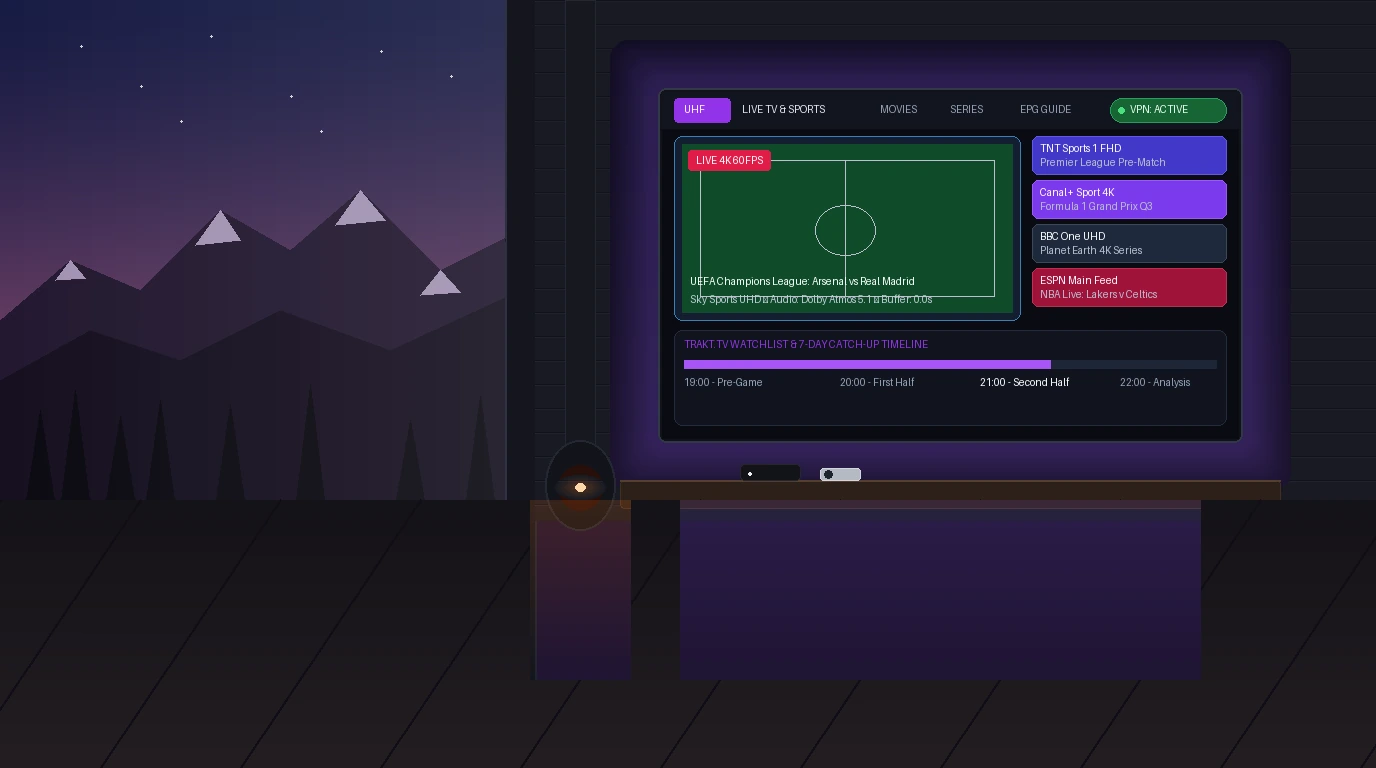
For years, cord-cutters using the Apple ecosystem faced a persistent dilemma when streaming live television. While Android TV and Amazon Fire TV users enjoyed mature, purpose-built players like TiviMate, Apple TV owners were largely stuck choosing between clunky mobile ports with dated spreadsheet-like grids or complex media server workarounds. The arrival of uhf iptv (officially titled “UHF - Love your IPTV”) has shifted that dynamic dramatically. Developed natively for tvOS, iOS, iPadOS, and macOS, UHF combines the fluid glassmorphic design language of Apple TV+ with cutting-edge streaming capabilities—including an integrated VPN client, browser-based remote playlist management, and instant iCloud synchronization.
⚡ Core Reminder: UHF Is a Player, Not a Content Provider
UHF does not provide television channels, sports packages, or movie streams out of the box. It is exclusively an advanced client application. To stream video, you connect your own M3U playlist link or Xtream Codes API credentials purchased from a reliable, independent IPTV subscription service.
What Is UHF IPTV? (The Modern Apple TV Experience)
Created by developer SchedApp, UHF was engineered specifically to solve the aesthetic and functional shortcomings of legacy streaming apps on Apple hardware. Instead of treating live television as an unorganized text list, UHF presents your content as an interactive, media-rich dashboard featuring high-resolution poster art, transparent category carousels, dynamic search indexing, and a touch-responsive Electronic Program Guide (EPG).
Native Metal Graphics Acceleration
Built from the ground up for tvOS using native Swift and Apple Metal API frameworks, UHF delivers fluid 60 fps navigation, zero-stutter channel scrolling with the Siri Remote, and instant picture-in-picture transitions.
Cross-Platform Apple Continuity
A single purchase syncs seamlessly across your Apple TV 4K, iPhone, iPad, and Apple Silicon Mac via iCloud. Favorites, custom channel numbering, and watch history remain synchronized across every screen in your home.
Standout Features That Set UHF Apart from Competing Players
While mainstream players focus strictly on basic video playback, UHF introduces several unique technical innovations that solve everyday cord-cutting headaches:
- 1. Integrated WireGuard & OpenVPN Client: Unlike traditional streaming setups that require running an external VPN app or flashing a custom router, UHF embeds a full VPN client directly inside the player. You can import WireGuard configuration profiles, configure custom DNS to bypass ISP censorship, and enable split-tunneling so only your video streams route through the encrypted tunnel.
- 2. Web Management Console (
console.getuhf.com): Typing lengthy M3U URLs or complex server passwords with a TV remote is notoriously frustrating. UHF allows you to link your Apple TV via QR code to a web browser, where you can upload playlists, rearrange categories, and manage backups effortlessly from your laptop. - 3. Trakt.tv Two-Way Integration: Automatically scrobbles on-demand movies and TV series to your personal Trakt account, tracking watched episodes and recommending new releases directly within the UHF home screen.
- 4. 7-Day Server Catch-Up & UHF Server DVR: For providers supporting catch-up TV, UHF lets you scroll backward through the schedule grid to replay missed programs. Furthermore, the companion UHF Server utility lets you schedule recordings to a local Mac, PC, or NAS drive.
UHF Pricing Structure: Free Tier vs. Pro In-App Upgrades
UHF operates on a fair freemium pricing model. The core playback engine is completely free on the App Store without intrusive popup ads, while advanced automation tools are unlocked through a Pro license:
| Feature / Capability | UHF Free Tier | UHF PRO Tier |
|---|---|---|
| Video Playback (4K, HLS, TS, MKV) | Yes (Uncapped 60 FPS) | Yes (Uncapped 60 FPS) |
| Playlist Connections | Single Playlist | Unlimited Playlists |
| Built-in WireGuard / OpenVPN | Yes | Yes |
| Multi-Device iCloud Sync | Manual / Limited | Full Automatic Sync |
| Web Console (console.getuhf.com) | No | Yes |
| Trakt.tv Two-Way Scrobbling | No | Yes |
- Monthly Subscription: ~$1.49 – $1.99 / month (Best for short-term evaluation).
- Annual Subscription: ~$7.99 – $9.99 / year (High-value yearly plan).
- Lifetime Unlock: ~$29.99 – $34.99 (Single one-time payment for permanent access across all Apple devices connected to your Apple ID).
Step-by-Step: How to Set Up UHF on Apple TV 4K and iPhone
Connecting your streaming service to UHF is straightforward. For optimal reliability and automatic schedule synchronization, we strongly recommend using the Xtream Codes API connection method:
- Download the App: Open the App Store on your Apple TV 4K or iPhone and search for
UHF - Love your IPTV. - Add Playlist: Launch UHF and select Add Playlist > Xtream Codes API.
- Enable Automation: Toggle Include VOD and Auto-Update EPG to ON.
- Sync & Stream: Click Connect. UHF will immediately download your categories, channels, and Electronic Program Guide into a fluid, Apple-native media dashboard.
If your provider supplies a standalone M3U8 link instead, you can paste the link under Add Playlist > M3U URL. If your channel schedule appears out of sync or shows blank rows, check our companion walkthrough on the IPTV schedule to correct time offsets.
UHF vs. IPTVX: Which Apple TV Player Should You Choose?
Apple TV owners often debate between UHF and IPTVX. Both represent the pinnacle of tvOS engineering, but cater to slightly different streaming habits:
Choose UHF If:
You watch predominantly live television, cable news, and high-stakes sports. UHF delivers faster channel zapping, features an integrated VPN client to bypass ISP sports throttling, and offers browser management via console.getuhf.com.
Choose IPTVX If:
You prioritize a lavish, Netflix-style cinema interface for massive movie and TV series VOD catalogs with automated TMDb cover art scraping and IMDb cast carousels.
If you also own Android or Fire TV devices alongside your Apple TV, review our guide to the best IPTV player for multi-platform recommendations.
How to Configure UHF’s Built-in VPN for Buffer-Free Sports
ISP throttling during major sporting events (like Premier League matches or UFC pay-per-views) is the primary culprit behind sudden buffering and stream drops. UHF eliminates the need for separate VPN apps:
- Open UHF Settings > VPN Configuration.
- Select Add Profile and import a WireGuard configuration file from your VPN service.
- Enable Auto-Connect on Stream Launch.
- Select a nearby server location with low latency to preserve maximum bandwidth for 4K streaming.
For advanced tips on optimizing bitrate and frame rates for game day, read our tutorial on IPTV for sports streaming. If you experience persistent buffering even with a VPN, consult our guide on how to fix IPTV buffering and freezing.
Frequently Asked Questions About UHF IPTV
Is UHF IPTV legal to download and use?
Yes. UHF is an independent media player officially verified and hosted on the Apple App Store. It contains zero copyrighted channels, movies, or pre-loaded content. It functions as a neutral media player similar to VLC.
Can I use UHF IPTV on Amazon Firestick or Android TV?
While the UHF development team has introduced experimental Android builds, UHF was designed natively for the Apple ecosystem (tvOS, iOS, macOS). On Firestick and Android TV boxes, TiviMate remains the premier player of choice.
Why does a stream fail to load in UHF?
If a channel fails to play, check UHF Settings > Playback Engine and switch the decoder from Default (AVPlayer) to VLC / KSPlayer. This resolves codec incompatibilities with 50 FPS European broadcasts or uncommon audio tracks.
Can I record live broadcasts with UHF?
Yes. UHF supports local and network recording through its companion application, UHF Server, which runs on a local Mac, Windows PC, or home server to save streams directly to hard disk.
Final Verdict: Is UHF the Best IPTV Player for Apple Users?
If you own an Apple TV 4K, an iPhone, or an iPad, uhf iptv stands among the very best streaming players on the market today. Its fluid Apple-native design, lightning-quick channel transitions, automatic iCloud synchronization, and revolutionary built-in VPN client make it an indispensable tool for serious cord-cutters.
Explore TV Online plans
See TV Online plans with 25,000+ live channels, 60,000+ VOD titles, and support on WhatsApp.